Last month we changed the name and moved everyone across. This month we opened the doors. Beina is officially available for public consumption.
While the opening up of Beina was the focus, we still landed a few nice new features which you can learn about below.
Out of the shadows
beina.ai is a proper website now, and people can create an account and get going on their own. No waitlist, no "drop me a message", no manual onboarding from me in the background. Point yourself at an event, get a prediction, start a plan.
It's still very early days, and a few inevitable little bugs to be crushed no doubt, but a lovely moment nonetheless. If you have any friends that would like to test it out, you can give them the coupon LAUNCH to get their first month for free.
Events, events, events
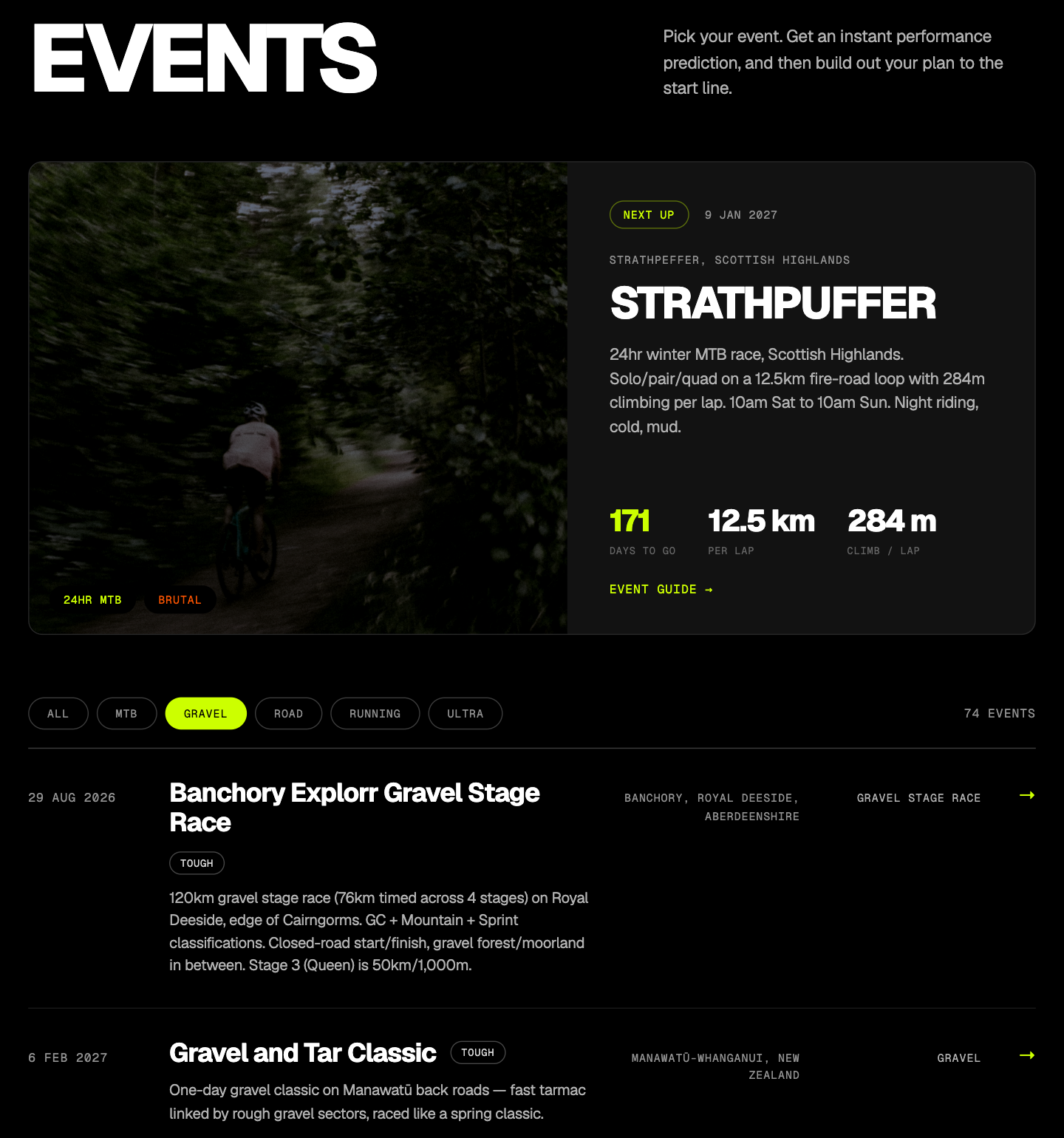
Heaps of new events added last month, and we now have a library of 275+ events in the system, across gravel, MTB, stage races, road and bikepacking ultras, and some terrifying trail races, spread across 31 countries. The bias remains on the long, gritty, and off-road stuff, but the menu is now a lot more complete. Expect a lot more soon.
We also built out a dedicated events section on the public website, where you can browse all the events in the system and see what they are all about. I would strongly recommend chatting to the coach about which events you would be best suited to. Warning: it may open up some dangerous discussions about trips to... Norway.
Better body composition tracking
The coach now has proper weight tracking in its context. Weigh in on Garmin scales and it syncs automatically, so the coach factors your weight patterns into the conversation without you typing a thing.
Which sets up the next one nicely.
Nutrition: the /fuel command
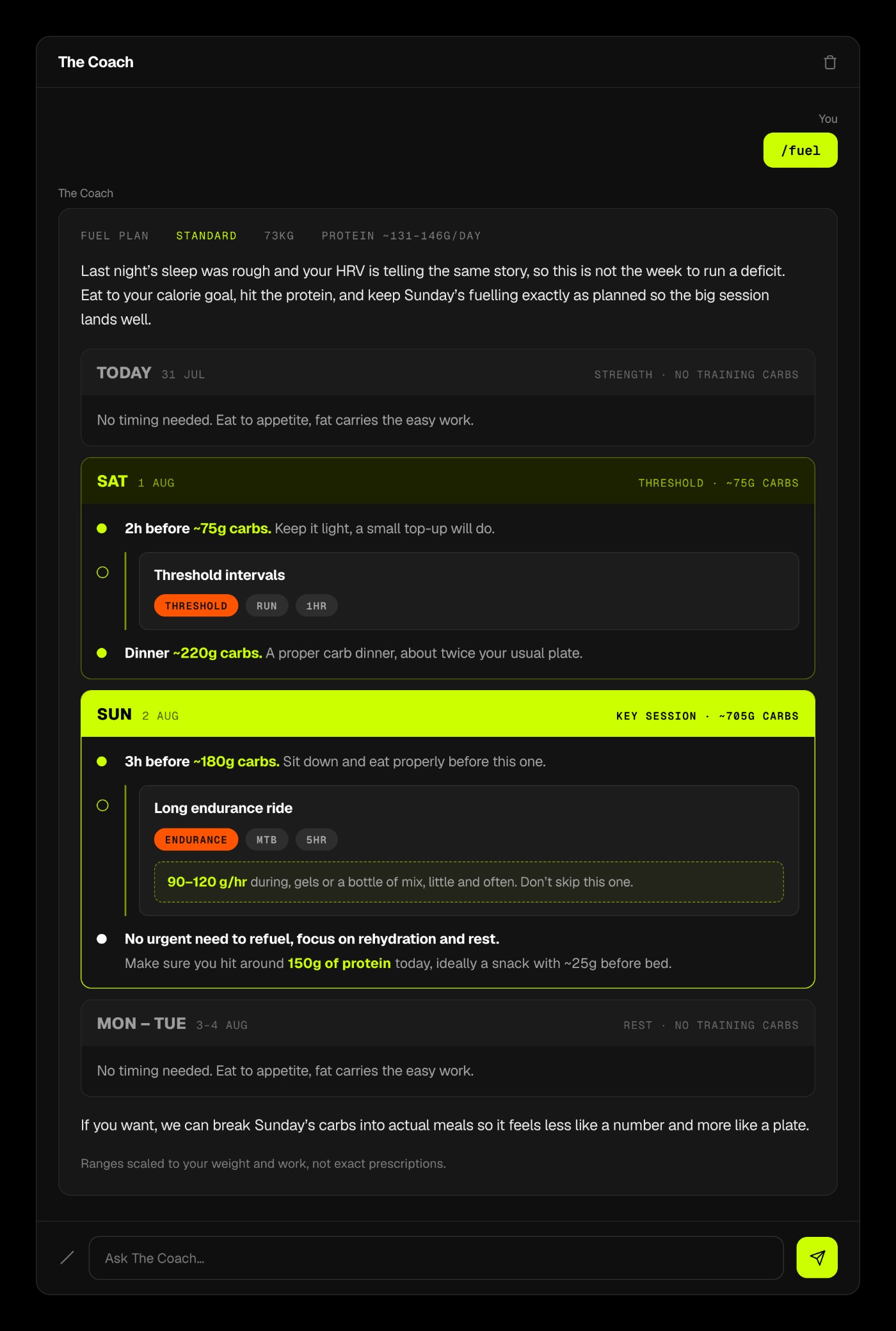
Type /fuel in the coach chat and it looks at your planned sessions for the days ahead and lays out carb periodisation against them: how many grams of carbs (and protein) to aim for each day. Fuelled when you actually need it (the hard days, the long days), letting your body dip into fat when you don't. Fuel for the work required, basically.
Two dials on it:
/fuel minleans you out, a sensible deficit for shedding a bit of weight./fuel maxloads you up for a big performance block or race week.
The numbers come from a proper model (glycogen cost of each session, scaled to your bodyweight), so the coach isn't just making them up. This is the top of a deep rabbit hole and it's already changed how I eat around my own training. If you want the science behind it, I wrote it up in Fuel for the Work.
Humble flex: shareable session cards
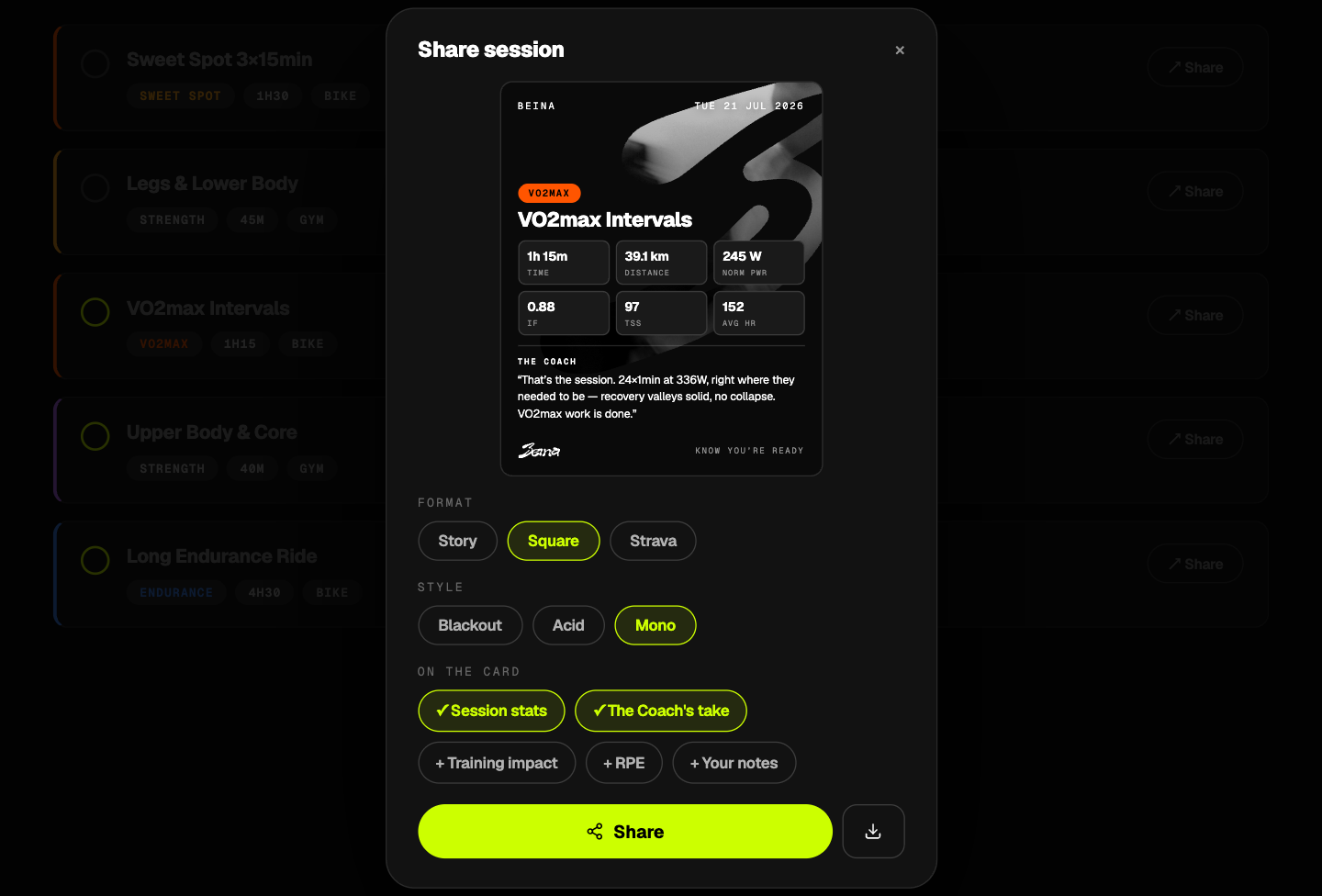
You can now share your session feedback and stats to social media as nice, customisable cards.
Did a monster ride? Hit a PB? Survived something absurd? Generate a clean card and stick it on Instagram or Strava or wherever you like to quietly (or not so quietly) flex. It's a small thing, but a fun one.
The status page got a proper upgrade
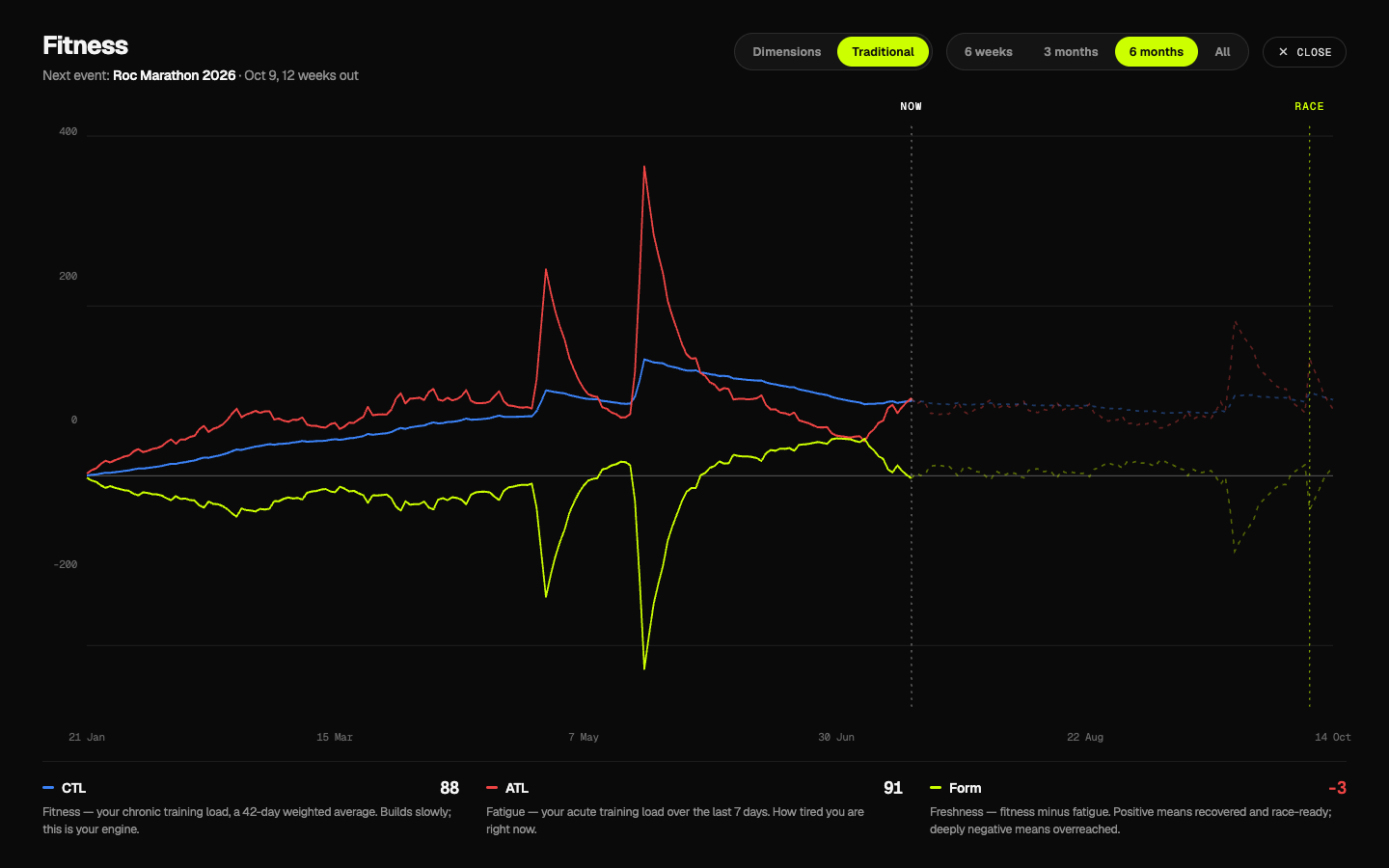
The two-dimensional Power and Endurance model has been the heart of the status page since April. This month it grew up a bit.
- Traditional load is back, alongside the model. If you know and trust classic CTL / ATL / Form (fitness, fatigue, form), it now sits right there next to the dimensional view. Use whichever speaks to you, or both.
- Fullscreen the chart. Tap out to a proper full-screen view, rotate to landscape on mobile, and actually read the thing.
- Switch time periods. Pull the chart back over different ranges to see the shape of a block, a season, or the last few weeks.
- Touch scrubbing. Drag along the chart to read the exact values at any point.
And a few more
The bias this month was very much on getting Beina out the door, but a few smaller things also shipped:
- Polar integration, now in beta. Connect a Polar account and your activities sync into Beina automatically.
- A round of UI polish and performance tweaks across the app.
- Emails got the Beina treatment. All the transactional emails (welcome, and friends) are rebranded into the new look, plus a new day-4 coach check-in in the onboarding drip, personalised to how your first few days have actually gone.
That's the month
Coming out of the shadows was the whole job this month, and it's done. Next up I get to point all that energy back at the product, and that nutrition rabbit hole in particular.
As always, tell me what you think. Reply, or drop me a line at hello@beina.ai. Loads of what shipped this year started as a message from one of you.