August was quiet on the shipping front. Summer, bikes, a fair amount of sitting in fields. September has been the opposite, and everything below came directly from things you lot asked for or complained about. Keep doing both.
Skip a session, on purpose
A session you deliberately decided not to do used to look identical to one you forgot about. Both were "missed". The coach reported them the same way, and every review that asked about your skip patterns was guessing.
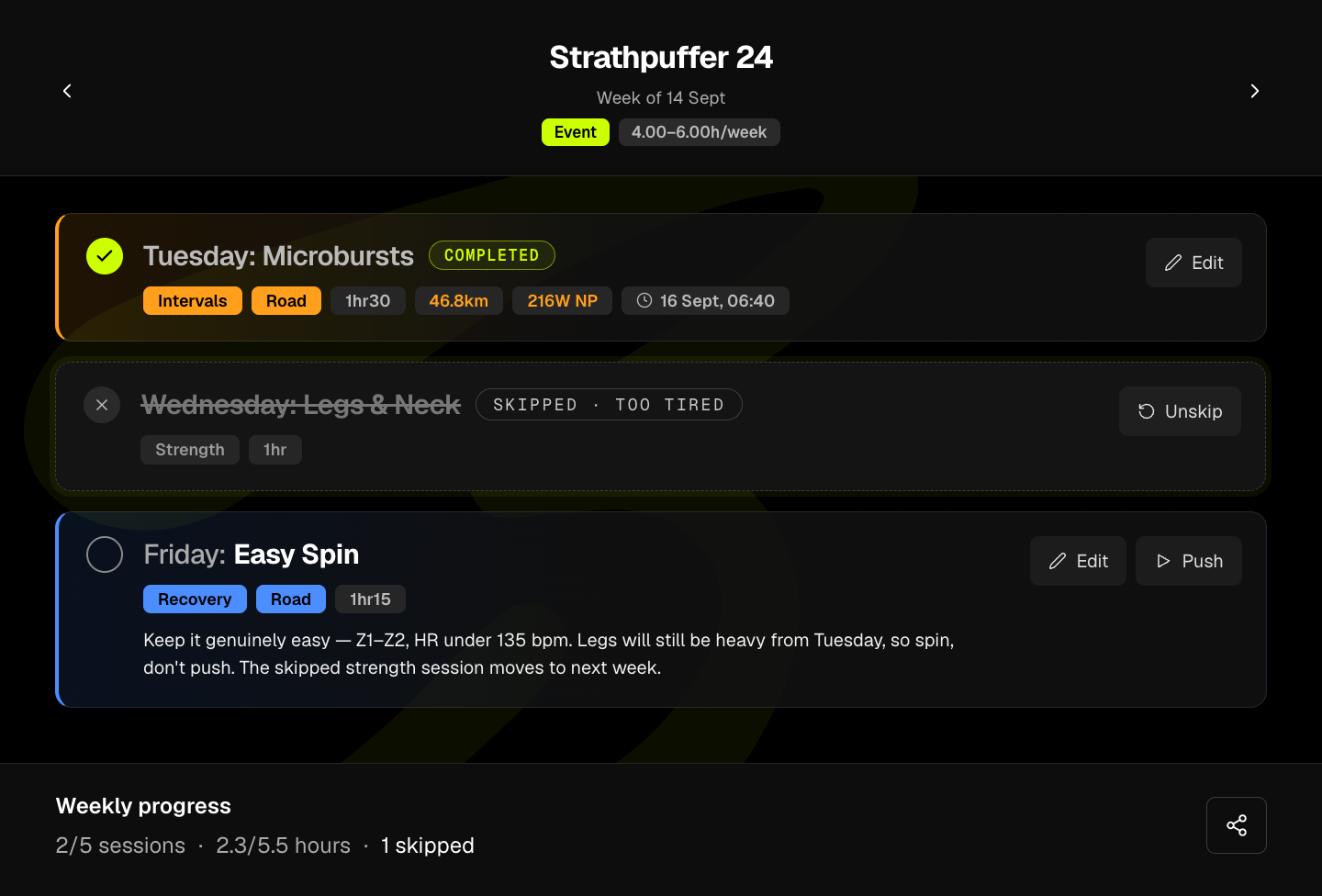
You can now skip a session from the card's menu, with a reason (illness, travel, no time, too tired, weather, or something else). The card gets struck through and labelled. You can also do it in chat: "skip Thursday, I'm ill" and it's done, without a lecture.
The part that matters is what happens next. The skip, and the reason, go into the AI context. So the coach, your status page insights and your reviews all know the difference between "missed" and "skipped on purpose", and why. A fortnight of illness now reads as a fortnight of illness, not as someone quietly falling off their plan, and the coach can respond to the thing that actually happened.
One deliberate decision: a skipped session still counts as not done. Your adherence number and your race prediction don't move because you picked a reason from a dropdown. The reason changes the story the coach tells, not the arithmetic. If it did, skip would be a nicer word for delete.
Sharing got a bit wild
In July you could share a single session as a static card. That was the polite version.
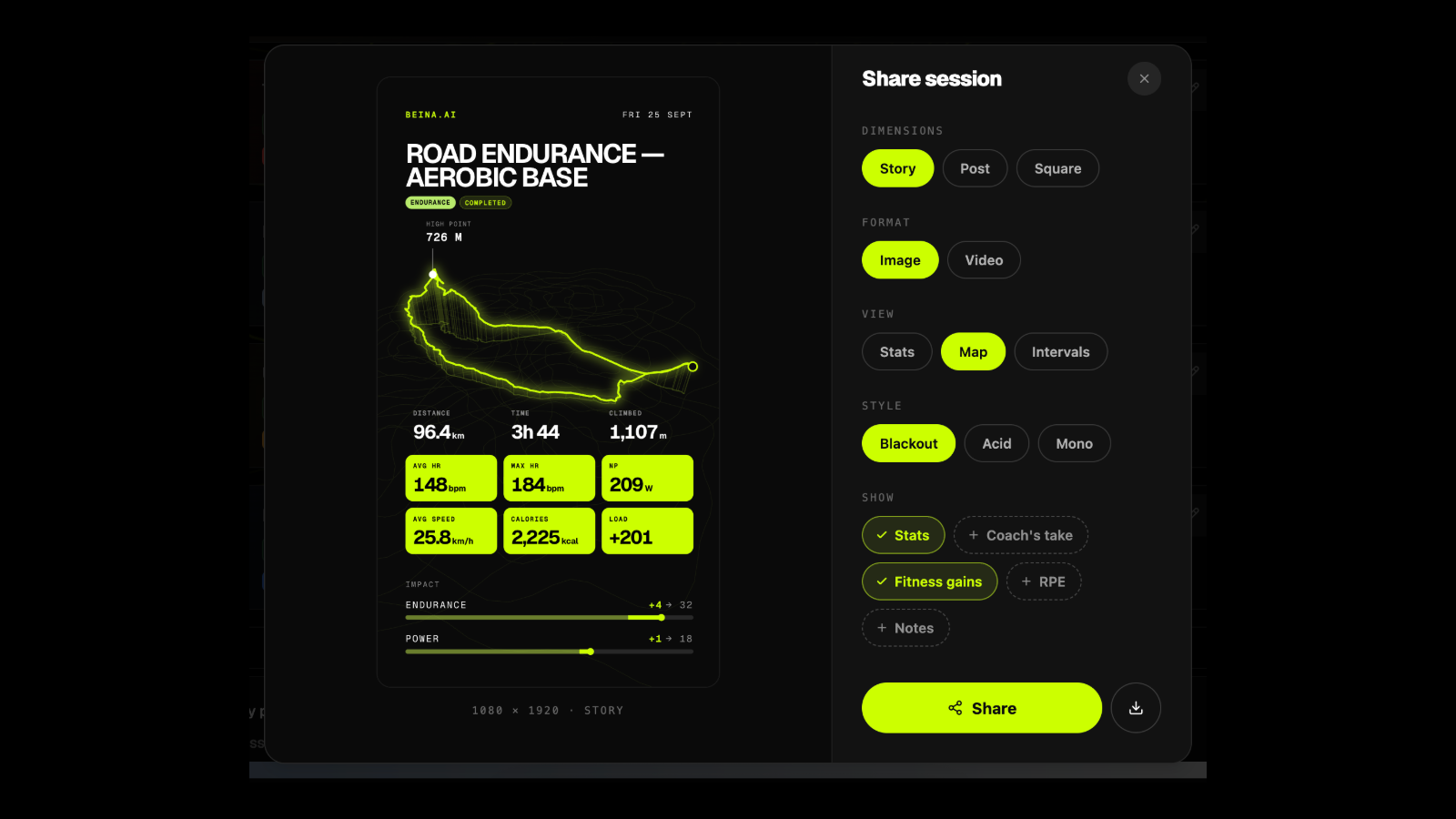
A shared session is now a short video: your GPS trace draws itself across the map, your intervals trace out beside it, the numbers land. It's the same data you've always had, it just moves now, and it looks like something you'd actually want on your story rather than something a training app made you.
The same animations and the same GPS and interval tracing are making their way into session feedback too, so the moment you finish a session and the coach tells you how it went gets the same face lift. Same engine, two places.
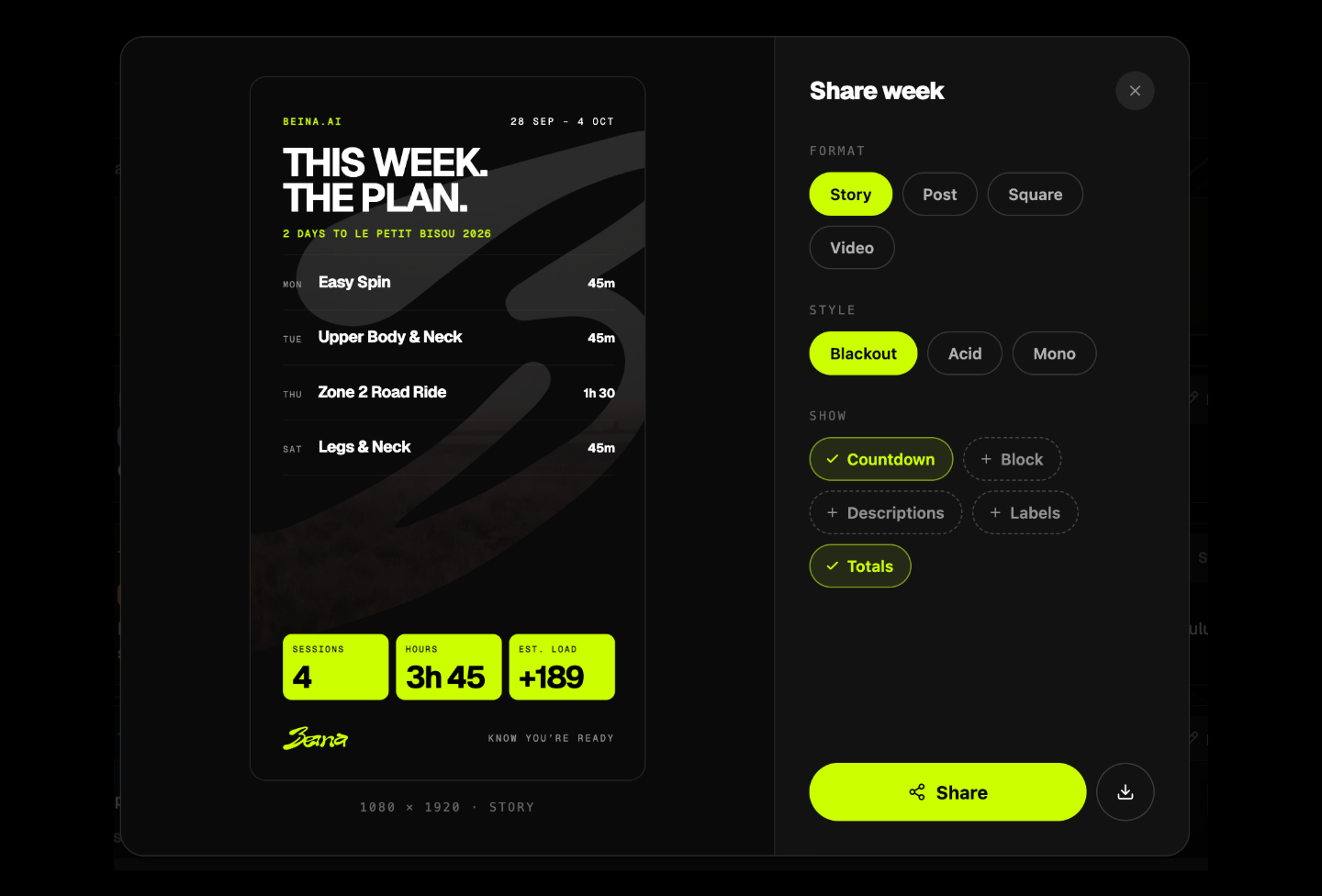
You can also share a whole week, in three states:
- Before it starts. A public commitment. Here's my week, hold me to it. This is the one I'm most pleased with, because it's the only share that goes out before the work is done, so it goes out on the bad weeks too.
- Part way through. Some rows filled in, the rest still open.
- After. What actually happened.
And because a card is a still and Instagram wants a story, there's now a Story switch in the share dialog. It builds a short video: a headline in your own words, the week itself, the damage (hours, load, climbing, and what it did to your fitness, endurance and power), one line from the coach, and a Beina sign-off. Frames only appear when there's real data behind them. A sparse week gets a shorter story, never a row of zeros.
Past events got the same treatment: open the analysis on any race in your history and there's a Share button.
Better interval detection
If you train on heart rate only, the coach used to infer your interval structure from the HR trace and state it as fact. Heart rate lags effort by 30 to 60 seconds and can't see a 20-second rep at all, so one of you did a 4 x (20s, 40s, 60s, 90s) session and was told it was "7 x 2 minutes".
Two changes. If your device recorded laps (the lap button, or a structured workout on your watch), the coach now reads the real structure straight from the laps, whatever the rep length. And where it only has heart rate to go on, it says so: the structure is labelled as an estimate and the coach asks instead of asserting.
While in there, the coach also got the full map of your plan. It can see your block structure, and it knows that a starter plan for an event a year away deliberately stops after the opening weeks, so it tells you which part hasn't been built yet rather than pretending the empty weeks are a plan.
The coach can push to your watch or bike computer
Since May you've been able to push a session to Garmin or Wahoo from the button on its card. Now you can just ask. "Send Thursday's intervals to my Garmin" in the chat, and it's on the watch or the head unit.
More usefully, the coach now actually knows how Garmin works: what a structured workout is on the watch, what gets pushed, what turns up where, and what to do when it doesn't. So when you ask why a session isn't showing on your Edge, you get an answer rather than a shrug.
Results boards on the event pages
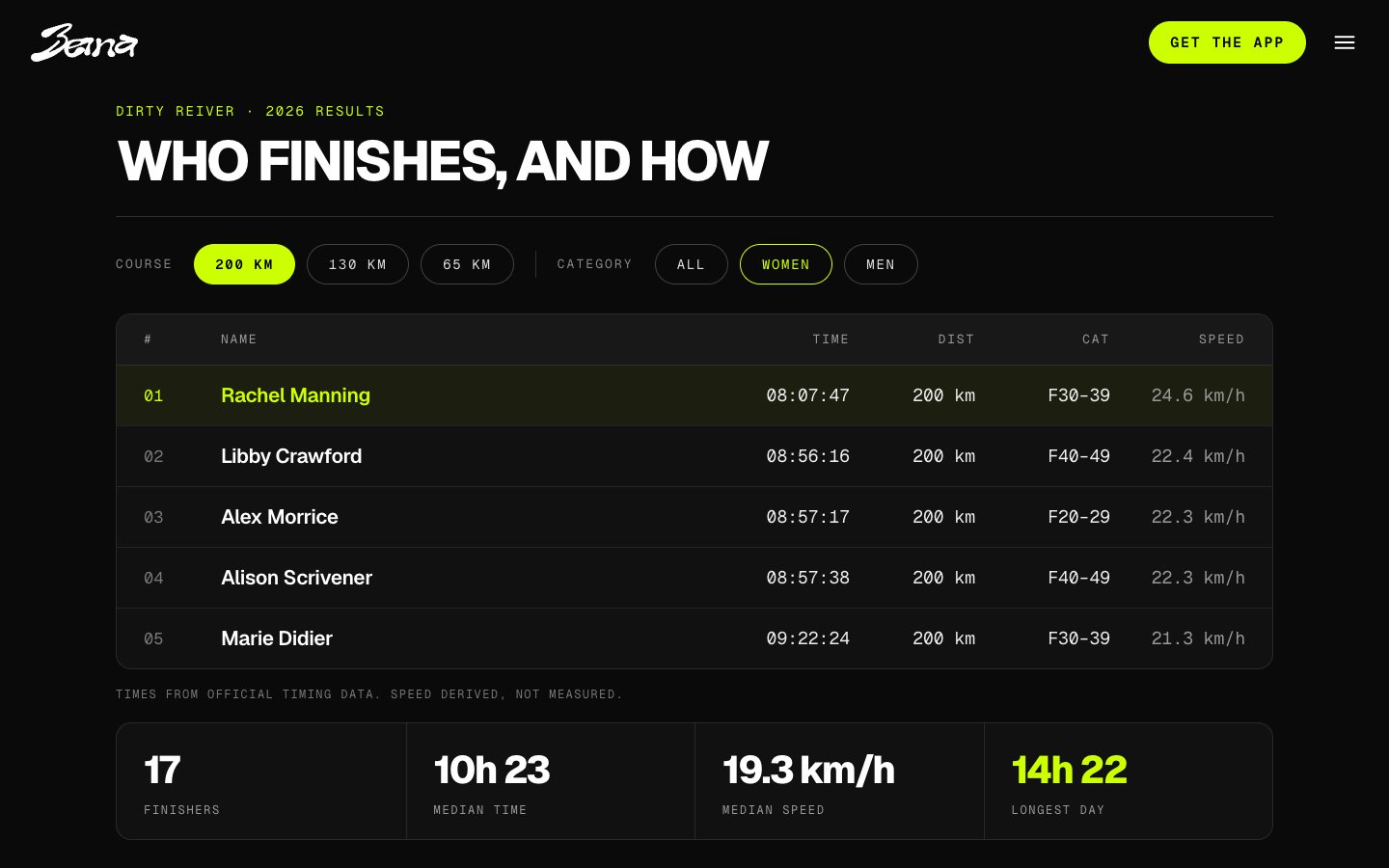
The event pages now carry results boards where we hold the data, with course and category filters in one bar. Multi-course events (Dirty Reiver's three distances, for example) get per-course insights rather than reading as their longest route. Dirty Reiver 2026 results are loaded, and the Focal Events races have their own pages.
The coach is grounded in the same results, so when it talks about what a good day at a given event looks like, it's quoting the actual sheet.
Strathpuffer 2027
We're teaming up with the Strathpuffer for January. It's the race this whole thing was built for, so this one is a bit special. More on that closer to the time, and if you're in the Puffer community you'll hear about it from them first.
And a few more
- Garmin and Wahoo pushes were being silently blocked for anyone who'd turned on TrainerRoad export. Fixed.
- Saving an event session now keeps its event fields, instead of quietly dropping them.
- Light mode has been retired. Night riding app, dark mode. It was always the plan.
- We now keep the GPS from your Garmin, Wahoo and Polar rides instead of throwing it away. That's what the animated traces above are drawn from.
- A one-month check-in from the coach, a few weeks after you start, looking at how your first month actually went.
- There's a five-minute walkthrough of how I use Beina day to day, for anyone who'd rather watch than read.
- New signups now answer six questions and land straight in a conversation with the coach, instead of a tour. You won't see it, but the explainer copy it replaced is now a proper user guide in the account menu, which you might.
That's the month
Next up is the same pattern: keep fixing what you tell me is broken, keep the coach honest, and get ready for a very cold January.
As always, tell me what you think. Reply, or drop me a line at hello@beina.ai. Everything above exists because someone did.